The print quote product page Magento 2 feature in Cart2Quote adds a print link directly on the product detail page, giving customers a way to save or print a formal quote document without navigating to the full quote management area. This is particularly useful for sales rep workflows and procurement scenarios where a printed record is needed before price negotiations begin.
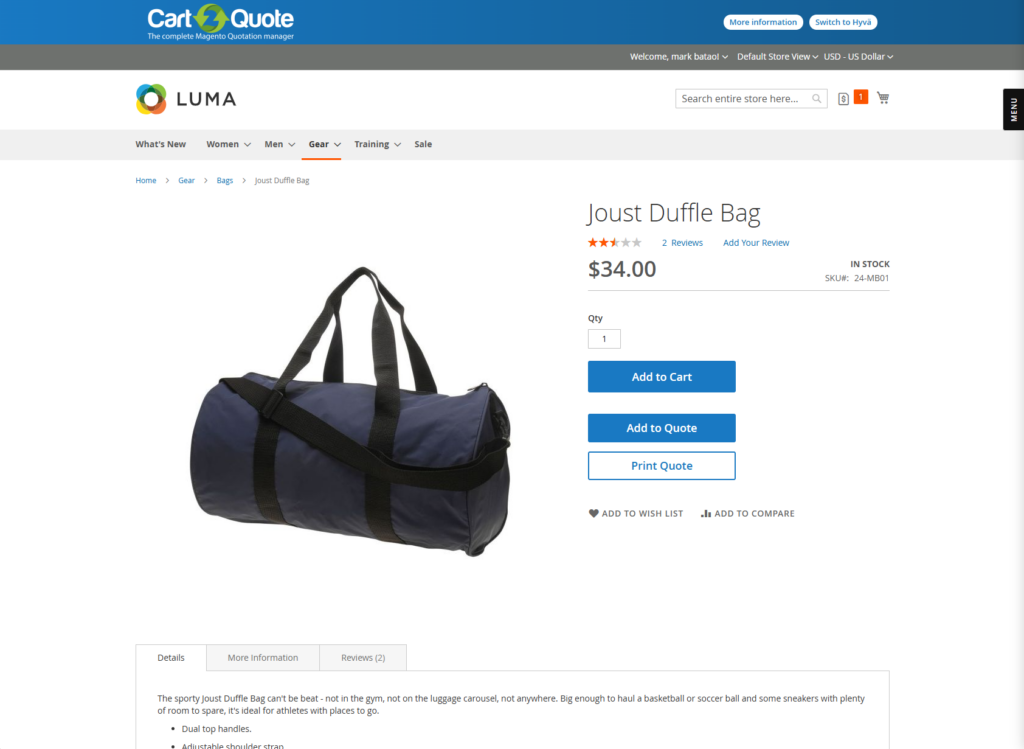
When you enable this setting, a “Print Quote” link appears on the product detail page. Clicking it opens a print-ready view of the quote, which the customer can send to their printer or save as a PDF using their browser’s built-in print-to-PDF function.
One important condition applies: this feature only renders when the store runs the Quote List strategy — meaning Enable Quick Quote is set to No. Under the Quick Quote strategy, the product page displays a popup form rather than a full quote view, so the print link does not appear. Therefore, before enabling this setting, confirm which quote strategy your store currently uses.
In many B2B purchasing environments, customers need a document before they can move forward internally. For example, a buyer at a manufacturing company may need to show a printed price estimate to a department manager before submitting an official purchase order. Consequently, the faster you can give them that document, the shorter your sales cycle becomes.
By placing the print option directly on the product page, Cart2Quote removes the need for the customer to navigate to their quote dashboard, find the right quote, and then print from there. Instead, they access a printable view in two clicks — directly from the product they are evaluating. As a result, the documentation step no longer slows down the purchasing conversation.
Explore all features, licence limits, update periods, and support options to find the plan that fits your business.
Compare EditionsThis setting is best suited for stores where sales representatives visit customers in person, or where B2B buyers regularly need printed documentation for internal procurement workflows. In addition, it works well in industries where formal price documentation is a standard step before any purchase commitment — such as construction, manufacturing, or public sector supply.
Note that if your store uses the Quick Quote popup strategy, this feature has no visible effect. In that case, consider directing customers to the Print Quote option on the quote view page instead, which is available regardless of the quote strategy in use.
The print quote product page feature in Magento 2 shortens the document generation step in B2B sales. Because customers can produce a printable quote estimate directly from the product detail page, they move through internal approval processes faster — without waiting for a formal proposal from your sales team. Enable this feature when your customers regularly need printed documentation early in the purchasing process.
Also read: Display Print Quote on the Quotation View Page

Customer Quotations Extension for Magento, easy, complete and skyrocketing your sales.
Try now!
Access essential manuals for installing, configuring, updating, integrating, and using our modules.
View Manuals
View Cart2Quote release notes for features, improvements, and bugfixes.
View release notes